A photo strip makes a good holiday card because it tells a small story in one picture: four moments from the year, a short greeting underneath, and a frame that matches the mood. You do not need a design app for it. Four photos and a free browser tool are enough.
One thing to be clear about first. What you get is a single image file, not a folded card. You can print it as a photo, slip it into a card you already have, or send it as a message. This guide covers the choices that matter for that: frame color, caption, print size, and file size for email.
Step by step
- Pick four photos. Choose pictures with similar brightness so the strip looks even. Four from one trip or one season work better than four unrelated ones.
- Open Magic Photo Booth and choose "Use My Photos". Add the four pictures. If one needs different framing, trim it first in Magic Photo Cropper.
- Choose a layout. The 4-cut strip is tall and narrow, like a classic booth print. The 2×2 grid is squarer and fits a screen or a standard photo print better.
- Choose a frame color, a filter and a caption. The next sections cover each.
- Untick the date if you do not want it. It is on by default.
- Download the PNG.
Choosing a frame color
The tool offers six frame colors: white, black, pink, sky blue, mint and beige. There is no red or green frame, so mint and beige are the closest to a seasonal look, and white or black are the safe choices when the photos should carry the card.
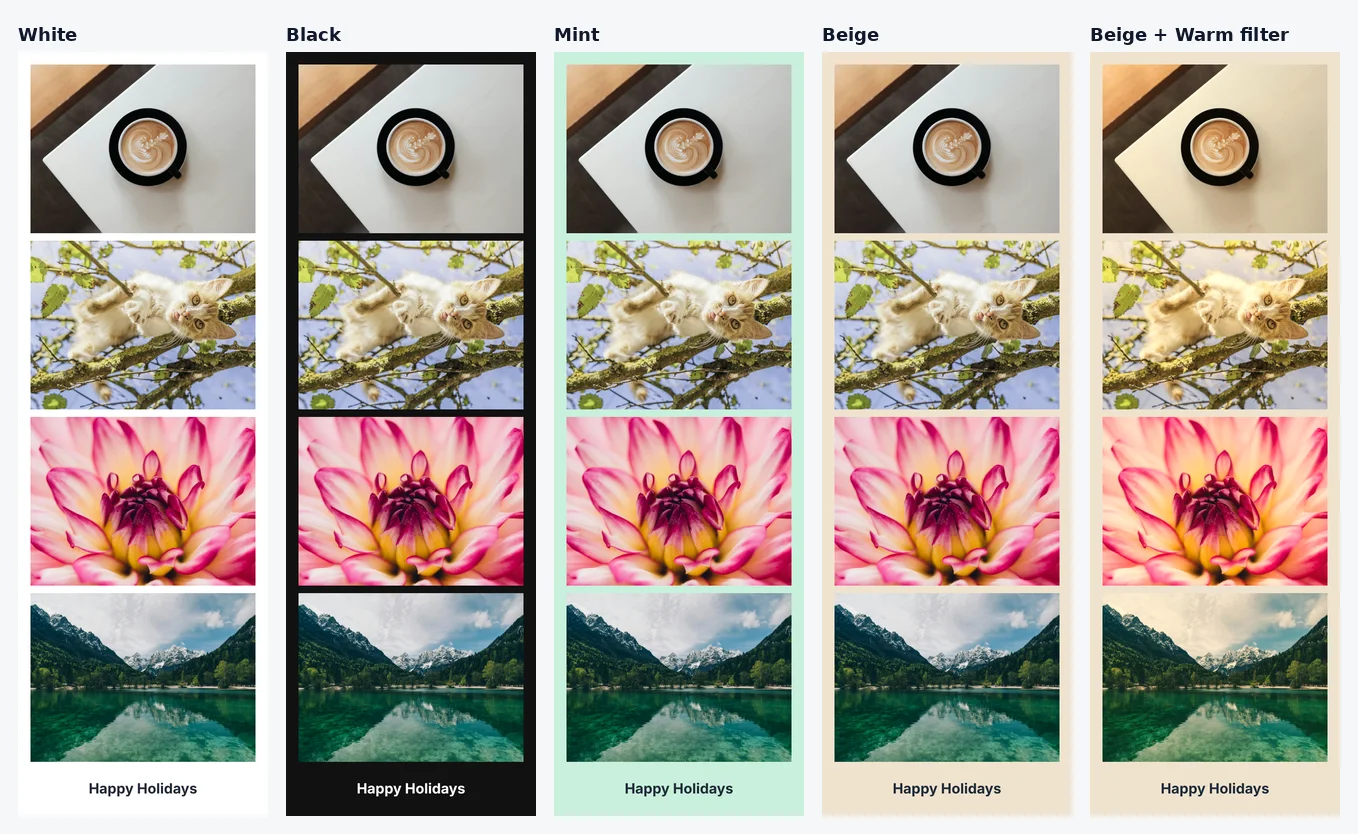
- White is clean and works with almost any photo. It is also the most printer-friendly because it uses the least ink.
- Black makes saturated photos such as the dahlia and the lake stand out, but pale photos can look flat against it.
- Mint is a soft cool tone that pairs well with blue, green and white scenes like snow or a lake.
- Beige is the warmest of the six and suits indoor, candlelit or family photos.
These are our impressions from the test images, not rules. Put your own photos in and look at the preview.
What the Warm filter really does
The three filters are Original, Black & White and Warm. We measured Warm on the beige strip above. Averaged over the photo areas, the red channel went up by about 18.5 (on a 0 to 255 scale), green by about 6.7 and blue went down by about 13.7. In plain terms it adds a golden cast and slightly dims the blues, which is why the sky over the lake turns cream in the last strip. It suits indoor photos. For a snowy or blue-sky photo you may prefer Original, because Warm makes whites look cream.
Writing the caption
The caption box takes up to 30 characters, spaces included, so the greeting has to be short. These lengths are counted, not estimated.
| Caption | Characters |
|---|---|
| Happy Holidays | 14 |
| Warm wishes 2026 | 16 |
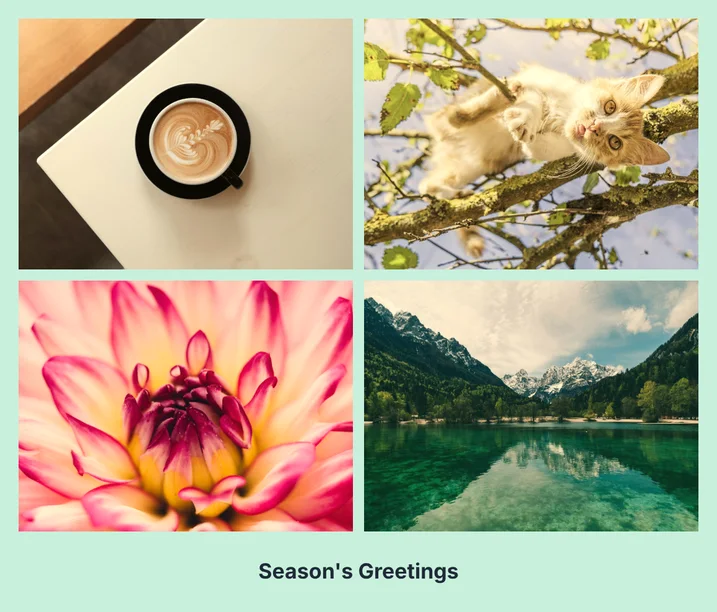
| Season's Greetings | 18 |
| Happy Hanukkah from our house | 29 |
| Merry Christmas from the Wongs | 30 |
| Happy Holidays from the Kims 2026 | 33 (too long) |
If your message is longer, put the family name or the year in the caption and say the rest in the email or the card you attach the picture to.
Printing it
Print quality depends on how many pixels you have per inch of paper. Around 300 pixels per inch is the usual target for a sharp photo print, and somewhat lower still looks fine for a casual card. The sizes below are simple arithmetic from the real file dimensions.
| File | Pixels | Printed at | Pixels per inch |
|---|---|---|---|
| 4-cut strip | 600 × 1834 | about 2.0 × 6.1 in | 300 |
| 2×2 grid | 1158 × 988 | about 3.9 × 3.3 in | 300 |
| 2×2 grid | 1158 × 988 | about 4.7 × 4.0 in | 247 |
| 2×2 grid | 1158 × 988 | about 5.9 × 5.0 in | 198 |
In practice the grid is comfortable up to about 4 to 5 inches on its short side. The strip is small by design, so it works as a bookmark-sized insert or a gift tag more than as a full card. If a print shop crops to a standard size, choose the "fit" option so the frame is not trimmed.
Emailing or messaging it
The PNG that comes out of the tool is large for sending. We ran the real downloads through Magic Image Compressor with default settings.
| File | Original PNG | As JPEG | As WebP |
|---|---|---|---|
| 2×2 grid (mint, Warm) | 1,844,614 bytes | 136,303 bytes | 83,826 bytes |
| 4-cut strip (beige, Warm) | 1,809,294 bytes | 134,804 bytes | 82,138 bytes |
JPEG opens everywhere. WebP is smaller, but some older apps still cannot open it, so use JPEG when you are not sure what the recipient has. Keep the PNG for printing and send the compressed copy.
A privacy note before you post it
Photos from a phone often carry hidden details such as where and when they were taken. A card sent to family is fine, but if you plan to post it publicly, run the original photos through Magic Metadata Remover first. Our guide on checking a photo for hidden location data shows how to look.
Frequently asked questions
Is there a red or green frame?
No. The six frame colors are white, black, pink, sky blue, mint and beige. Mint and beige are the closest to a seasonal look, and white or black keeps the photos as the focus.
How long can the caption be?
Up to 30 characters, spaces included. "Happy Holidays" is 14, "Season's Greetings" is 18 and "Merry Christmas from the Wongs" is exactly 30. Check the preview before you download.
Is the file sharp enough to print as a card?
The 2×2 grid is 1158 × 988 pixels, which is about 247 pixels per inch at 4 inches on its short side and about 198 at 5 inches. The strip is 600 × 1834 and reaches 300 pixels per inch at about 2.0 × 6.1 inches. Bigger prints will look softer.
What is the best way to send it to family?
Send a compressed copy. In our test the PNG was about 1.8 MB, and Magic Image Compressor made a JPEG of about 136 KB or a WebP of about 84 KB from it. Keep the PNG for printing.
Does it hide when the photos were taken?
The date printed on the card is optional and can be unticked. The files you add may carry their own hidden location data, so run them through Magic Metadata Remover first if you plan to post the card publicly.
Is anything uploaded?
No. The photos stay in your browser tab and nothing is sent to a server.
Is it free?
Yes. No account and no watermark.
Ready to try it? Open Magic Photo Booth, add four photos, and compare the frames in the preview before you download.