You take a great product photo on your phone, go to upload it to a listing, and either it fails outright or gets accepted but looks soft and low-quality once it's live. Both Etsy and eBay have their own specific photo requirements, and camera photos rarely land in the right range by default.
Etsy's photo requirements
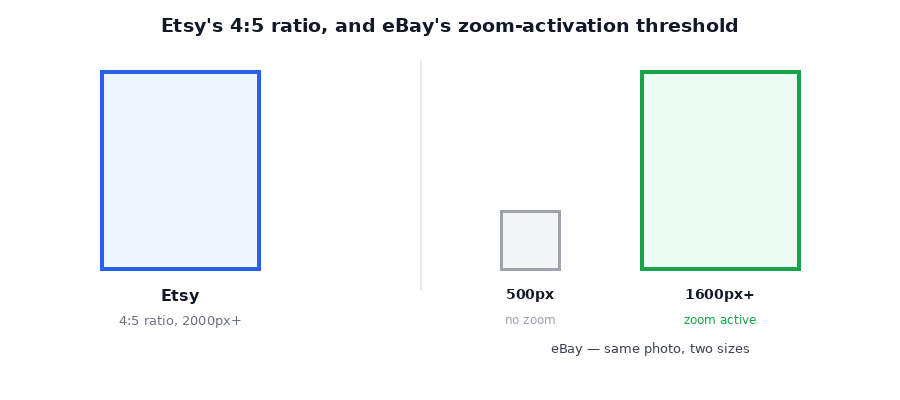
Etsy recommends listing photos be at least 2000 pixels on the shortest side, with a 4:5 aspect ratio — that's the ratio Etsy uses for search thumbnails and listing pages, so photos cropped to match will display exactly as intended rather than getting auto-cropped oddly. Etsy accepts JPEG, PNG, or GIF, and technically allows files up to 50MB, but very large files can fail to upload — especially on a slow connection — so keeping images well under a few megabytes is safer in practice.
eBay's photo requirements
eBay's minimum is lower — 500 pixels on the longest side — but there's a meaningful reason to go bigger: eBay's zoom feature, which lets buyers pinch or hover to see close-up detail, only activates on images 1600 pixels or larger. Below that threshold, buyers just see a fixed-size image with no zoom. eBay's file size cap is 12MB, and JPEG is the preferred format.
| Platform | Minimum size | Recommended size | Format |
|---|---|---|---|
| Etsy | 2000px (shortest side) | 4:5 ratio, under 5MB | JPEG / PNG |
| eBay | 500px (longest side) | 1600px+ for zoom | JPEG preferred |
The easiest way to hit these targets
Rather than guessing whether your camera photo already fits, cap the maximum dimension and let a compressor handle the rest. Magic Image Compressor lets you set a target size — including custom width caps beyond the presets — so you can resize a whole batch of product photos to the right dimensions and a safely small file size in one pass, entirely in your browser.
→ Resize your listing photos with the free Magic Image Compressor — runs in your browser, nothing is uploaded.Step-by-step
- Add your photos. Open Magic Image Compressor and drop in your batch of product shots.
- For Etsy: crop or export at a 4:5 ratio beforehand if possible, then set quality around 0.8–0.9 to keep detail sharp for buyers zooming on fabric, texture, or fine print.
- For eBay: aim for 1600px or larger on the longest side to keep the zoom feature active.
- Compress and download. You get all the resized files back as a ZIP, ready to upload.
A quick note on quality
Product photos are one place where it's worth keeping quality a little higher than the default — buyers zoom in on texture, stitching, and fine detail before purchasing, so 0.8 or above is a safer starting point than the general-purpose 0.75 default.
Frequently asked questions
What's the minimum photo size for an Etsy listing?
Etsy recommends at least 2000 pixels on the shortest side, with a 4:5 aspect ratio, since that's the ratio used for search thumbnails and listing pages.
What's the minimum photo size for an eBay listing?
eBay requires at least 500 pixels on the longest side, but recommends 1600px or larger — the zoom feature only activates on images 1600px and up.
Why does my upload fail even though it's under the size limit?
Very large files, even under the stated cap, can fail to upload on a slow connection. Keeping images well under 5MB avoids this even though the platform's technical limit is higher.
Is it free to resize photos this way?
Yes — no account, no upload, no watermark.
Shooting product photos with a phone that saves in WebP or a format your marketplace won't accept? Our Magic File Converter converts to JPG or PNG locally too.
Listing photos rejected or blurry after upload? Resize them to spec with Magic Image Compressor before your next upload.