You want a recording of a call — for notes, for a tutorial you're building, for a record of what was agreed on. Before you hit record, it's worth knowing that "can I record this" isn't just a technical question. In parts of the US, recording a call without telling the other participants is against the law, regardless of the tool you use to do it.
This is general information, not legal advice. Recording laws vary by state and can change — check current rules for your situation, or consult a lawyer if it matters.
One-party vs. all-party consent
Most US states follow a "one-party consent" rule: as long as one participant on the call (which can be you) knows about and agrees to the recording, it's legal — you don't need to announce it to everyone else.
Twelve states require all-party consent instead: California, Connecticut, Delaware, Florida, Illinois, Maryland, Massachusetts, Montana, Nevada, New Hampshire, Pennsylvania, and Washington. In these states, every participant needs to agree before you record, and doing it silently is against the law.
If participants are joining from different states, the safer assumption is that the strictest applicable state law governs the whole call. The simple, low-friction habit that avoids the whole question: say "I'm going to record this call" at the start, and give people a moment to object.
Recording the call itself
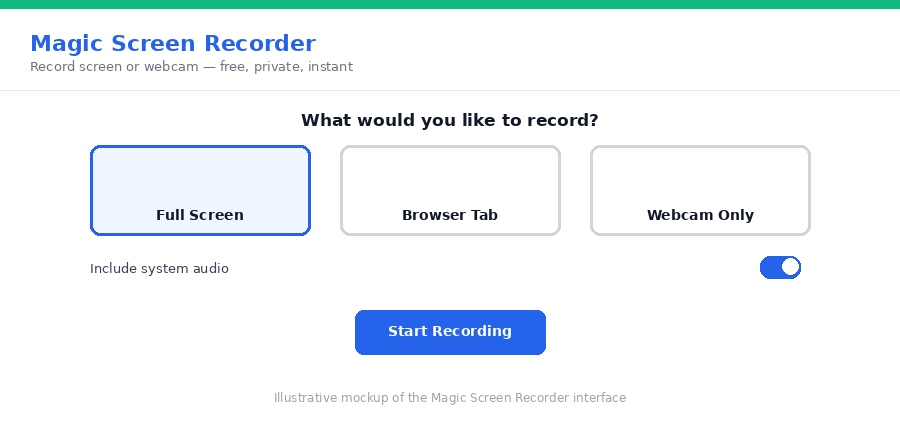
Once consent is handled, capturing the actual call is straightforward. Magic Screen Recorder can record your screen (or a specific browser tab running the call) along with system audio — the sound coming through your speakers, which includes every participant's voice — in Chrome or Edge. This means you get a complete recording of the conversation, not just your own microphone.
Step-by-step
- Tell participants you're recording at the start of the call, especially if anyone might be in an all-party consent state.
- Open Magic Screen Recorder in Chrome or Edge (required for system audio capture) and select the browser tab or window running your call.
- Enable system audio so the other participants' voices are captured, not just your microphone.
- Record the call, then stop and download when it's done — WebM or MP4, saved straight to your device.
Why keeping it local matters here specifically
A recorded conversation can contain far more sensitive information than a random screen recording — names, business details, personal matters discussed on the call. Because Magic Screen Recorder processes everything in your browser, the recording never passes through a third-party server in the process of being captured; it goes straight from your screen to a file on your device.
Frequently asked questions
Do I need permission to record a Zoom call?
It depends on where you and the other participants are located. Twelve US states require all-party consent, meaning everyone on the call must agree before you record. Most other states only require one participant (which can be you) to consent. When participants are in different states, the strictest applicable law generally governs.
Which states require everyone's consent to record a call?
California, Connecticut, Delaware, Florida, Illinois, Maryland, Massachusetts, Montana, Nevada, New Hampshire, Pennsylvania, and Washington require all-party consent as of this writing. Laws can change, so check current rules for your state if you're unsure.
Can I record the call's audio, not just the screen?
Yes, in Chrome or Edge — these browsers support capturing system audio (the sound playing through your speakers) alongside the screen, so voices from the call are recorded along with the video.
Is my recording uploaded anywhere?
With Magic Screen Recorder, no. The recording is processed locally in your browser and saved directly to your device.
Need to trim the recording down to just the important part afterward? Our guide to auto-cutting silence from a video covers tightening it up locally too.
Got a call coming up that you need on record? Set up Magic Screen Recorder before it starts.