You need to combine a few PDFs — a signed contract, a set of bank statements, some medical paperwork — into one file. So you search "merge PDF," land on the first tool you see, and drag your files in. Then a small doubt hits: wait, where is this actually going?
It's a fair question, and most people never stop to ask it. When you upload a PDF to an online tool, your file leaves your computer and travels to a stranger's server to be processed. For a grocery list, who cares. For a contract with your signature, salary figures, a medical diagnosis, or a tax ID — that's a different conversation. Here's what actually happens, what the real risks are, and how to combine PDFs without uploading them anywhere.
What actually happens when you upload a PDF
A traditional online PDF tool works in three steps: your file is uploaded to the tool's server, processed there (merged, split, compressed), and the result is sent back to you. That upload step is the part worth thinking about. For the duration of that process — and sometimes longer — a copy of your document exists on hardware you don't own and can't see.
Reputable services encrypt the connection and delete files after a set window (often an hour or a day). That's genuinely better than nothing. But "encrypted and deleted later" is not the same as "never left your device." Your file was still copied to a server, and you're trusting that company's policies, security, and staff to handle it correctly.
The real risks (and the ones that are overblown)
Let's be honest about which worries are worth having:
- Worth it — the file sits on a third-party server. Even briefly, a copy of your confidential document exists somewhere else. If that server is breached, misconfigured, or the retention policy isn't followed, your file is exposed. You have no way to verify any of it.
- Worth it — free tools have to make money somehow. If a tool is free and you're not paying, ask what the business model is. Many are fine (ads, paid tiers), but "free" plus "upload your documents" is a combination worth a second look for sensitive files.
- Worth it — compliance rules may forbid it. If you handle client contracts, health records, or financial data for work, uploading them to a random online tool can violate confidentiality agreements or regulations like HIPAA and GDPR — regardless of whether anything actually goes wrong.
- Overblown — the tool will "steal" your file to sell it. Mainstream tools aren't harvesting your PDFs for profit. The realistic risk isn't theft; it's exposure — your file existing somewhere it didn't need to.
The takeaway isn't "online tools are evil." It's simpler: the safest file is the one that never leaves your device in the first place.
The fix: merge PDFs without uploading them at all
There's a category of tool that skips the upload entirely. Instead of sending your file to a server, it does all the work inside your browser, on your own computer. Your PDFs are opened in the browser's memory, merged locally, and the finished file is saved straight back to your device. Nothing is ever transmitted anywhere.
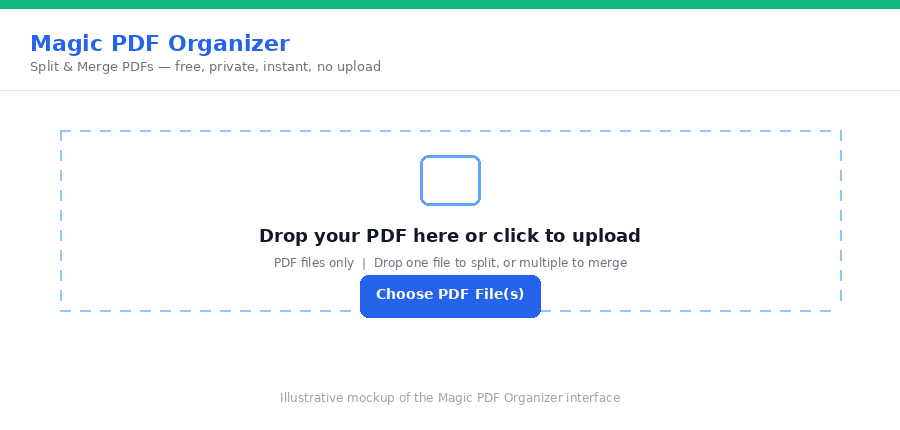
Magic PDF Organizer works this way. It merges and splits PDFs entirely in your browser using a local engine (pdf-lib running in a Web Worker) — no server, no upload, no account. For a contract or medical record, that means the file never leaves your laptop, so there's simply nothing to intercept, log, or leak.
How to check whether a tool actually uploads your file
You don't have to take anyone's word for it. Two quick tests:
- The offline test. Load the tool's page, then turn off your Wi-Fi and try to use it. A true browser-based tool keeps working with no connection, because it isn't sending anything anywhere. If it fails or hangs the moment you go offline, your file was going to be uploaded.
- Watch for an upload bar. If processing shows a progress bar that scales with your file size — a 40 MB file taking noticeably longer to "start" than a 2 MB one — that's the upload. Local tools have nothing to upload, so they jump straight to processing.
These two checks tell you, in about thirty seconds, whether a tool respects the "never leaves your device" line.
When online tools are fine — and when to avoid them
To keep this balanced: for everyday, non-sensitive PDFs, mainstream online tools are convenient and generally safe. There's no need to be paranoid about merging a couple of public flyers.
Reach for a no-upload, browser-based tool when the file is something you'd hesitate to email to a stranger: contracts, IDs, medical or financial records, legal documents, anything under a confidentiality agreement, or work files your employer expects you to keep in-house. In those cases, "runs in my browser, never uploads" isn't a nice-to-have — it's the whole point.
Frequently asked questions
Are popular online PDF tools like iLovePDF or Smallpdf safe?
Established tools use encrypted connections and usually delete files after a set time, so for everyday documents they're generally fine. The point isn't that they're malicious — it's that your file still leaves your device and sits on someone else's server, even briefly. For anything confidential, a tool that never uploads at all removes that exposure entirely.
How can I tell if a PDF tool uploads my file?
If a tool shows an upload progress bar, or stops working the moment you go offline, your file is being sent to a server. Browser-based tools that process locally keep working with your Wi-Fi turned off, because nothing is being transmitted.
Can I merge PDFs without uploading them anywhere?
Yes. Browser-based tools like Magic PDF Organizer merge and split PDFs entirely inside your browser. Your files are opened in the browser's memory and never sent to a server, so confidential documents never leave your device.
Is it free?
Yes — no account, no upload, no watermark.
Working with the text you copied out of a PDF rather than the file itself? Our Magic Text Fixer cleans up broken line breaks and garbled characters locally too — no upload needed.
Need to combine sensitive documents right now? Merge them privately with Magic PDF Organizer — everything stays on your device.